
Technology - B1+ English Vocabulary — Explanation
Technology influences how we study, work, communicate and relax. This B1+ lesson introduces practical technology vocabulary in English, including computers, smart devices, internet services, people, descriptive adjectives and common digital verbs.
Computers and everyday devices
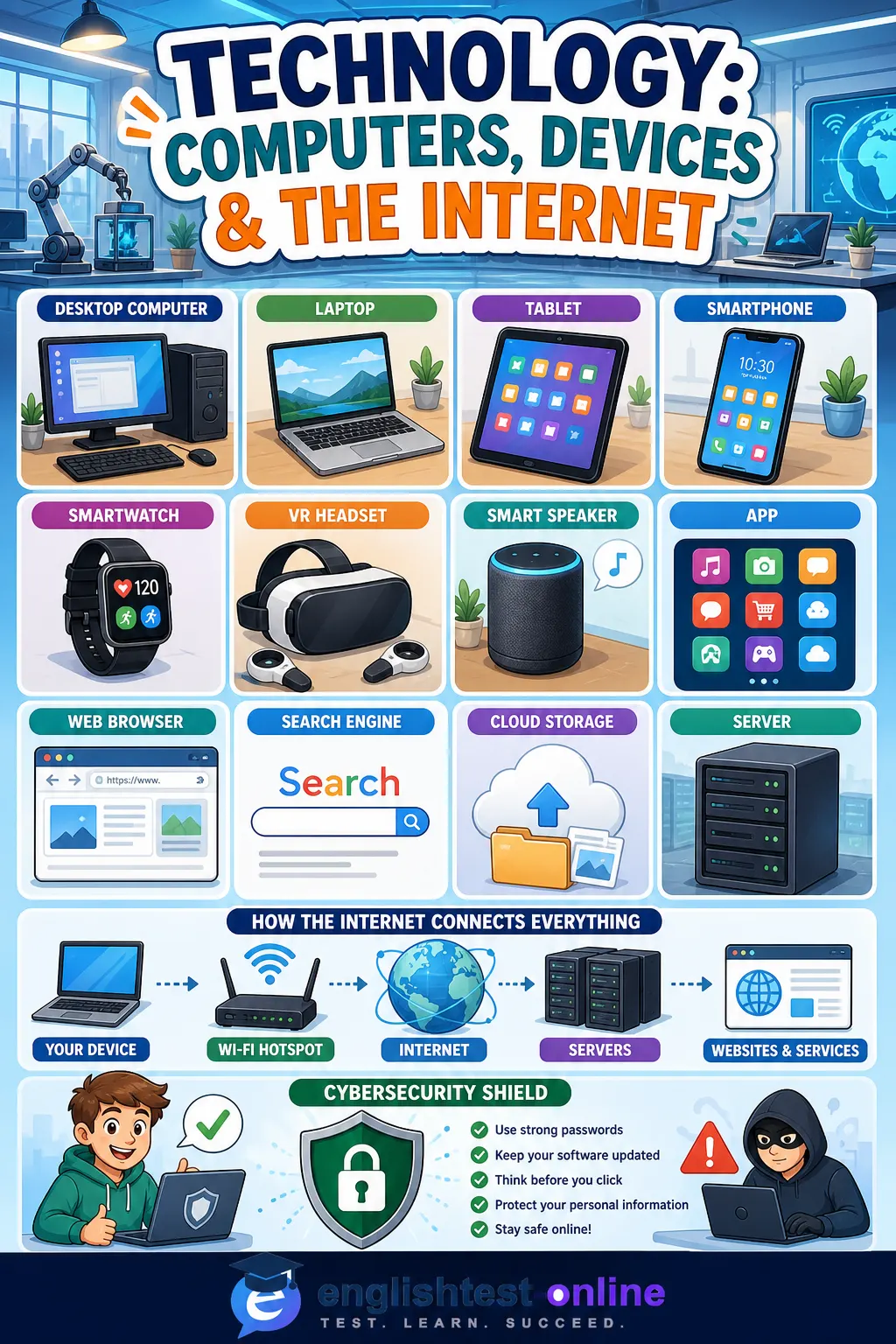
A desktop computer normally stays on a desk and uses a separate monitor, keyboard and mouse. A laptop is portable and combines these parts in one device, while a tablet has a larger touchscreen than a phone but is lighter than most laptops. A gadget is a small, useful piece of technology designed for a particular purpose.
A smart device connects to a network and can exchange data with other devices. Examples include smart speakers, connected lights and security cameras. Wearable technology is worn on the body, such as a smartwatch or fitness tracker. A VR headset places screens and sensors in front of your eyes to create a virtual-reality experience.
Hardware means the physical parts of a computer or device. Software is the collection of programs and instructions that run on the hardware. An app is software designed for a particular task, often on a phone or tablet. Freeware can be used without payment, although its licence may still limit how it can be changed or shared.
The internet and online services
A web browser is an application used to open and view websites. A search engine is an online service that helps you find pages and information. You use the browser to visit the search engine, so the two terms are not interchangeable.
An internet service provider, often shortened to ISP, supplies your connection. A Wi-Fi hotspot gives wireless internet access in a particular place. A server is a computer or system that stores, processes or delivers data to other computers called clients.
Cloud storage keeps files on remote servers so that you can reach them from connected devices. A screenshot is a digital image of what appears on a screen. Social media describes platforms where people create and exchange content, while a social network focuses particularly on connections between users.
Cybersecurity is the practice of protecting devices, accounts, networks and data from digital threats. Strong unique passwords, multi-factor authentication, security updates and careful handling of links all contribute to safer internet use.
People who use and create technology
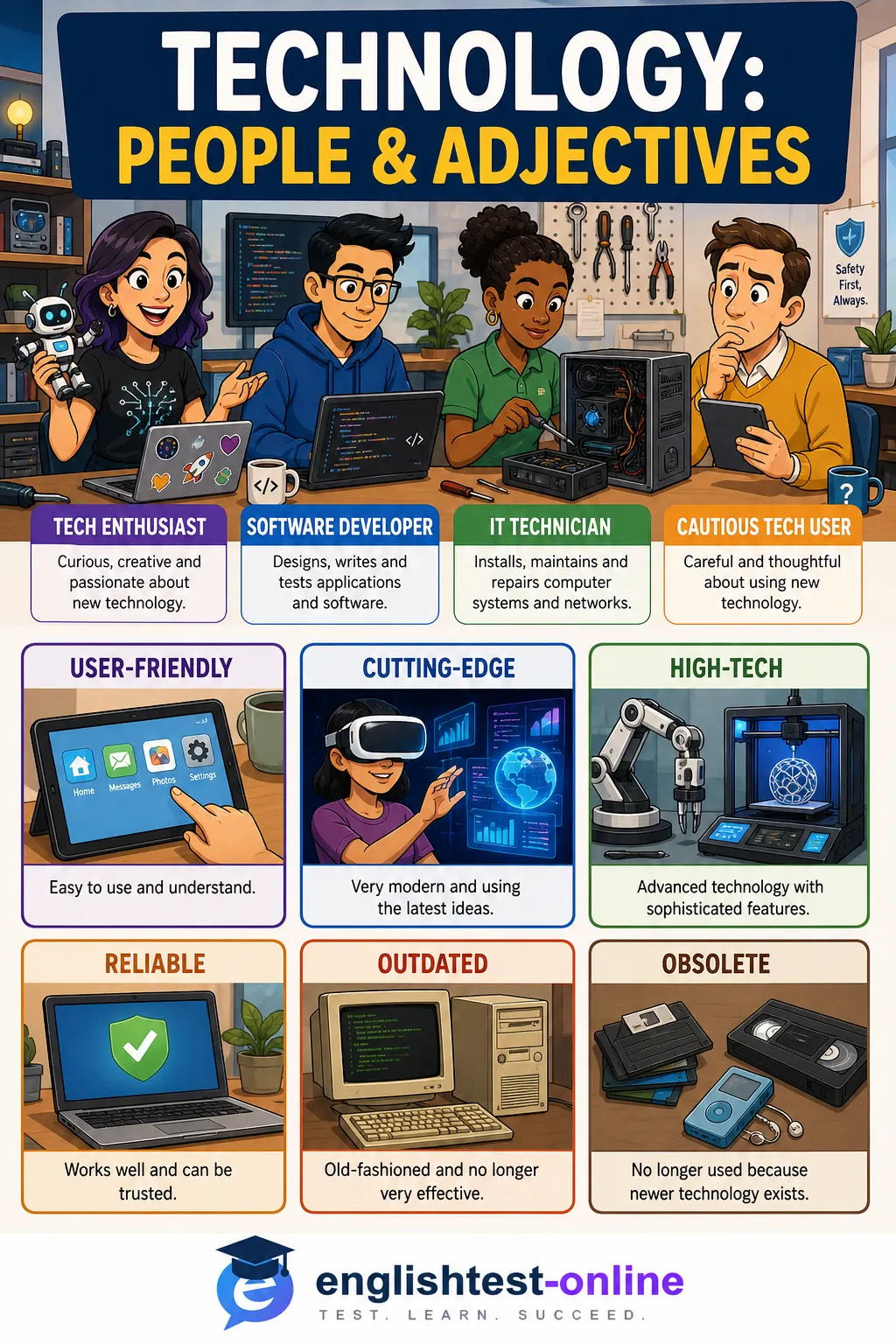
A tech enthusiast or techie has a strong interest in technology and enjoys learning about new devices. A computer expert has detailed knowledge and skill, while an IT technician installs, maintains and repairs computer systems. A software developer designs, writes, tests and improves computer programs.
A technophobe feels uncomfortable with or distrustful of technology. This word describes an attitude, not a person's intelligence or ability. Someone can lack digital experience and still learn quickly when a system is clearly explained.
Adjectives for technology
User-friendly technology is easy to understand and operate. A reliable device works consistently without frequent failure. Efficient software completes a task without wasting time, energy or computing power, and a secure system protects information effectively.
High-tech describes something that uses advanced technology. Cutting-edge is stronger: it refers to the newest and most innovative stage of development. At the opposite end, outdated technology is no longer modern, while obsolete equipment has been replaced and is no longer useful or supported.
Technology verbs and verb phrases
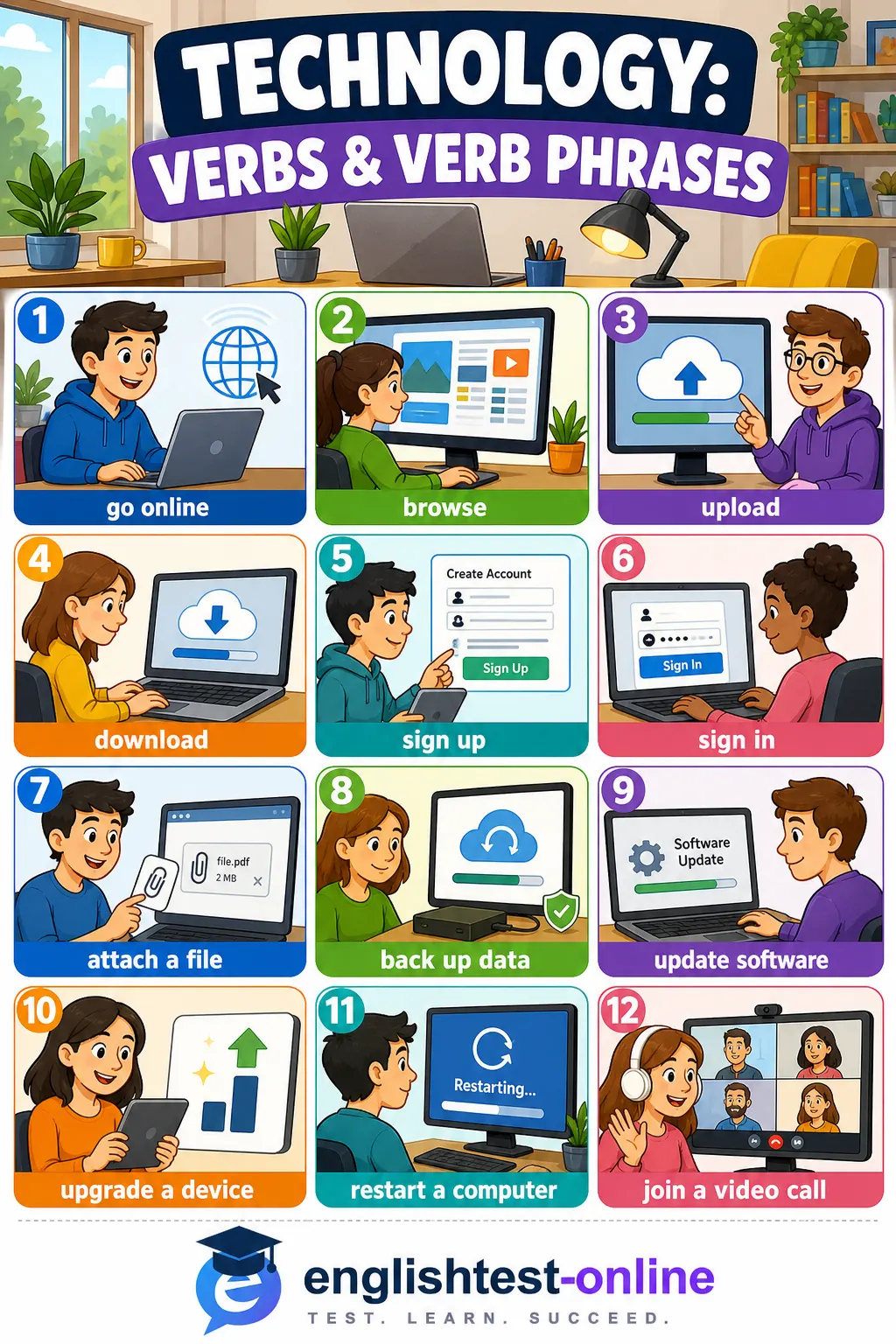
To go online means to connect to or start using the internet. When you browse, you look through websites or online information, often without searching for one exact item. To stream audio or video is to play it over the internet without first saving the whole file.
Upload means transfer data from your device to an online service or another system; download means transfer it to your device. You can attach a document to an email and share a link with another user.
When you sign up, you register and create an account. When you sign in or log in, you enter an existing account. To log out is to end that session. Never confuse sign up with sign in.
To back up data is to make a safety copy in another location. A program crashes when it suddenly stops working. You may need to restart the device, which means turn its system off and start it again.
To update software is to install improvements or newer files. To upgrade a device or service is to replace it with a better or more powerful version. During a video call, participants can see and hear one another online; a larger organised online meeting is often called a video conference.
Useful technology collocations
- connect to a network; access a website or account
- install, run, update or uninstall an app
- upload a photo; download a file; attach a document
- create an account; reset a password; enable security features
- back up important data; restore a deleted file
- join, host or leave a video conference
Common mistakes
- You browse the web, but you normally search for information.
- You upload a file to the internet and download it from the internet.
- You sign up for a new account, then sign in to it later.
- Software and equipment are normally uncountable: say some software or a piece of equipment.
- A website is a collection of web pages; a web browser is the program used to view them.
Complete the three exercises to practise devices, internet services, technology users, adjectives and verb phrases in realistic B1+ contexts.
Comments (0)
Log in to join the discussion.